Tutorial 9 of 9
Stopwatch, timers, intervals, talk timer and big signs
Beginner 8 min
Time laps with the stopwatch, run named kitchen or exam timers, train with Tabata or HIIT cues, keep a talk on time and show a big sign.
The Display tab has five more tools for the stage. All of them show their numbers big enough to read across a room, and all of them have Full screen. While one runs in full screen, its buttons also appear in the kiosk bar at the bottom.
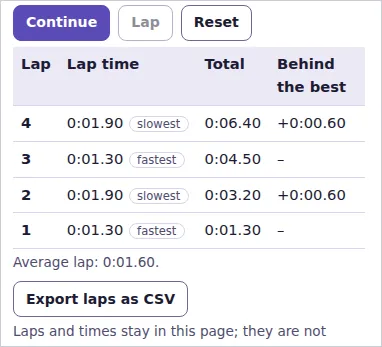
Stopwatch with laps
Choose Stopwatch in Show on the stage and press Start. Lap records a lap while the stopwatch runs; Stop pauses it, Continue goes on and Reset clears everything.
The lap table lists every lap with its Lap time, the Total so far and how far it is Behind the best lap. With two or more laps the fastest and the slowest are marked. Export laps as CSV downloads them for a spreadsheet. Laps stay in the page and are not saved in the room.
Named timers
Choose Timers. Each timer has a name and a length; type lengths like 5:00, 90 (minutes) or 1h 30m. Start and Pause each timer separately — the tea, the pasta and the oven can all run at once — and Add a timer adds up to eight. When a timer ends it chimes and says its name, for example "Timer “Tea” is done."
Interval timer
Choose Interval timer and a Plan:
- Tabata — 20 seconds of work and 10 seconds of rest,
- HIIT — 40 seconds of work and 20 seconds of rest, with a warm-up and a cool-down,
- EMOM — every round starts on the full minute; Work sets how much of the minute you work,
- Custom lengths — your own work, rest, break between sets, warm-up and cool-down.
Set Rounds per set and Sets. The hint below shows the total time. Keep 3-2-1 beeps before each round on to hear the count-in, and switch on Spoken cues to hear "Work" and "Rest" in your browser's voice. Cue volume sets the loudness of the chimes.
Press Start. The stage turns red for work, green for rest and blue for the warm-up, shows the seconds left, the round and what comes next. The chimes are scheduled ahead on the audio clock, so they stay on time even when the page is busy.
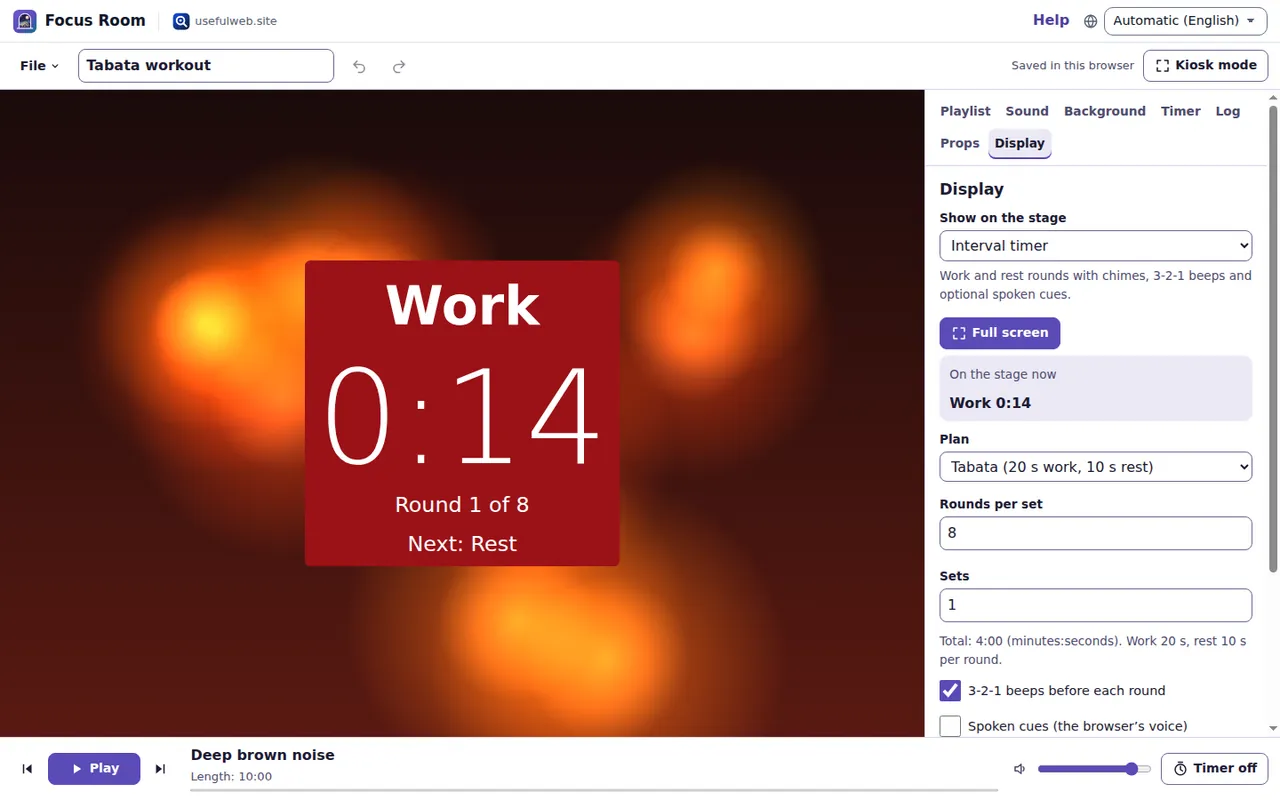
Download cue track (WAV) saves the same chimes and beeps as an audio file to play on any speaker; the focusroom-interval-plan tool makes the identical file. The template Tabata workout is ready to go.
Presenter timer
For talks and exams choose Presenter timer. Set the Length (minutes), Amber from (minutes left) and Red from (minutes left), then Start. The stage is green while you are on time, amber when it is time to wrap up and red for the last stage; each stage is also named in words, and the colours never flash. With Count the overtime after zero the timer then counts up with a plus sign.
Big sign
Choose Big sign and type your Text — "Back in 10 minutes", "Quiet please", a welcome. Line breaks are kept, long lines wrap at spaces, and the text is made as large as the stage allows. Pick a colour pair such as Black on signal yellow or White on red.
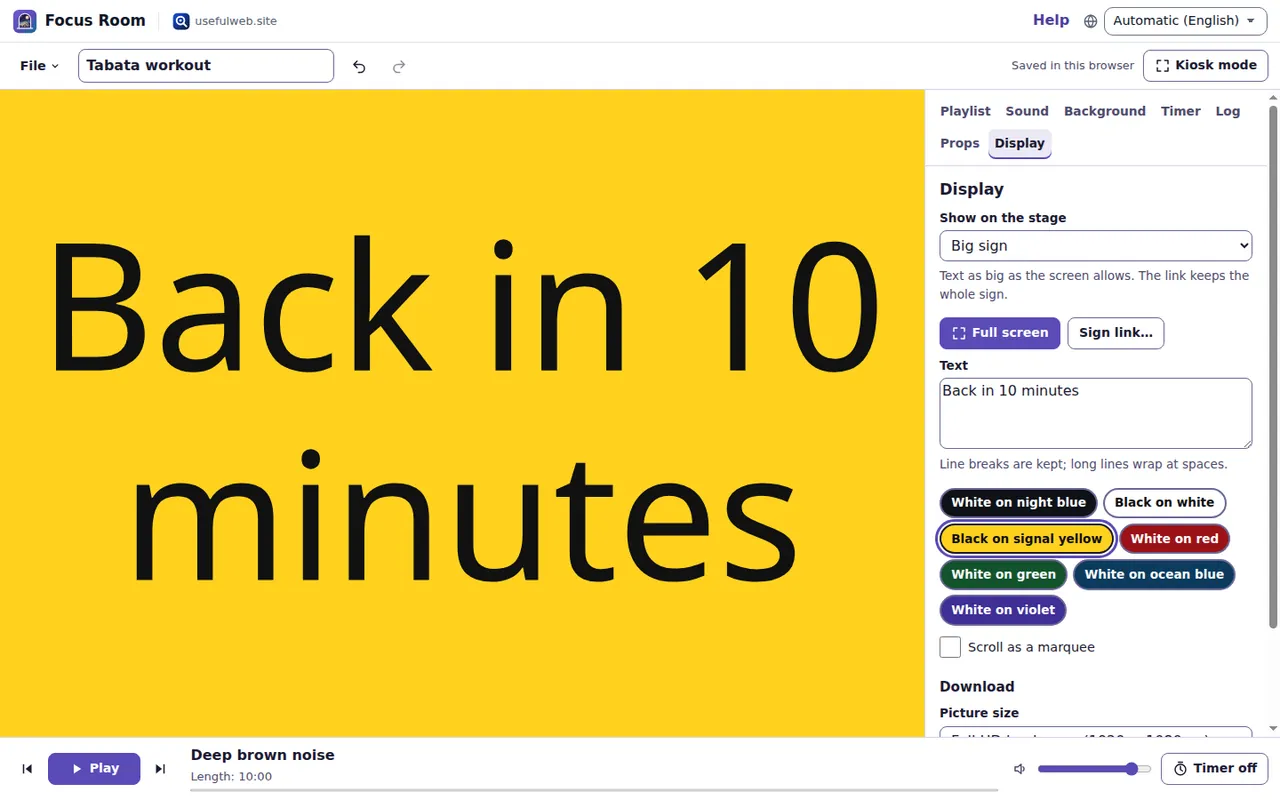
Scroll as a marquee turns the sign into one line that moves across the screen at the Marquee speed you choose. With reduced motion the marquee stands still.
Sign link… gives you a link that contains the whole sign. Whoever opens it gets a room that shows the sign; press Full screen there. Nothing is uploaded.
Under Download, pick a Picture size and save the sign as PNG, SVG or Printable PDF (A4). The letters come from the bundled Noto fonts, so Arabic, Hindi, Cyrillic and Greek are shaped correctly. The focusroom-big-sign tool makes the same files.
Good to know
- Phones and tablets may pause timers and sounds in background tabs or with the screen off; keep the page open and in front.
- On iPhone and iPad the silent switch mutes the chimes.
- The stopwatch shows hundredths of a second; browsers deliver timer events in steps of a few milliseconds.
Ready to try it?