Tutorial 8 of 9
Clocks, countdowns and world clocks on a big screen
Beginner 7 min
Turn the stage into a full-screen clock — digital, analogue, flip, word clock or binary — with world clocks, or a countdown to any moment in any time zone.
Focus Room can do more than play ambience: its Display tab turns the stage into a clock or a countdown that you can put on a TV, a tablet on the shelf or a second monitor. Everything you set here is saved with the room, so a "Countdown" room and a "World clock" room can sit side by side in Recent rooms.
Open the Display tab
Click Display in the panel on the right (or press 7 when no field has focus). The field Show on the stage decides what the stage shows:
- Room clock only — the room as before, with its small clock,
- Clock, Countdown, Stopwatch, Timers, Interval timer, Presenter timer or Big sign.
Under the field, On the stage now repeats in words what the stage shows, so you can read it without looking at the stage. Full screen shows the stage alone; the screen stays awake while it is shown, and Esc brings you back.
The template World clock desk (File → Templates…) is a quick start for this tutorial.
Choose a clock face
With Clock selected, pick a Clock face:
- Digital — big digits with the date below,
- Analogue — a round face with hour, minute and second hands,
- Flip digits — digit cards that flip when they change (they simply switch when your system asks for reduced motion),
- Word clock — the time in words, rounded to the nearest five minutes, for example "It’s quarter past three",
- Binary (BCD) — one column of dots per digit of hours, minutes and seconds; the lit dots add up to 8, 4, 2 and 1 from top to bottom.
The word clock speaks 17 languages. Language of the word clock follows the page by default; choose another one to practise: German says "Es ist Viertel nach drei", Dutch "Het is kwart over drie", Hindi "अभी सवा तीन बजे".
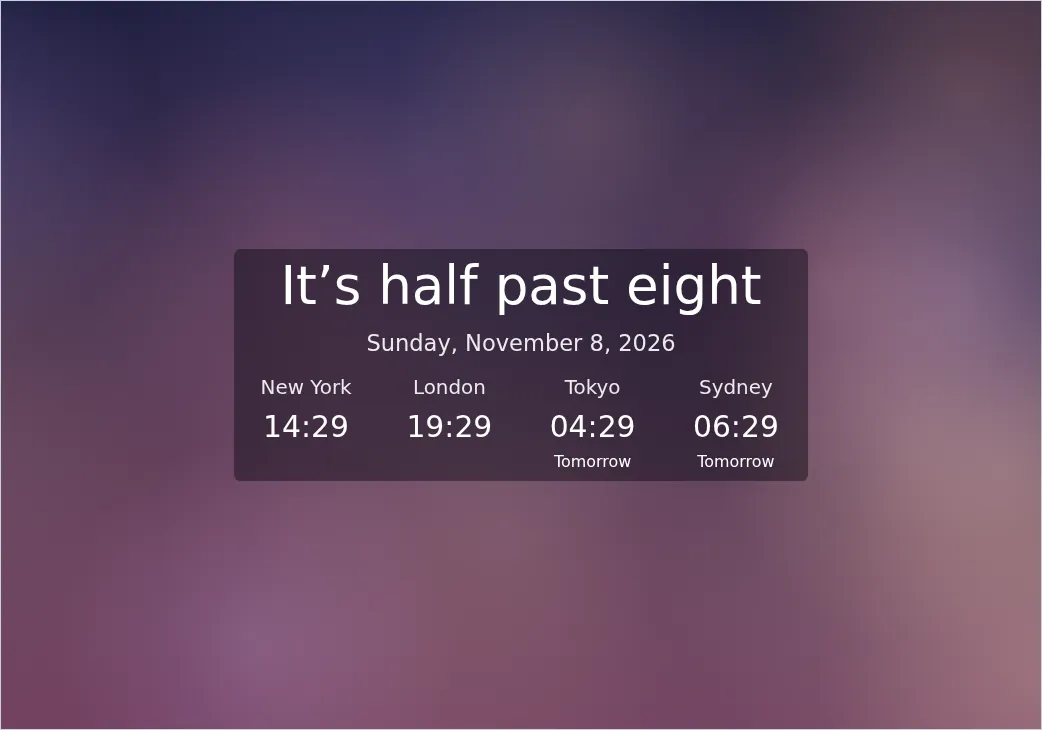
Show seconds and 24-hour clock change every face at once.
Add world clocks
Under World clocks, choose a city in Add a city and press Add. Up to six cities appear in a strip under the face, each with its local time; "Tomorrow" or "Yesterday" shows when that city is already on another day. Remove a city with its bin button.
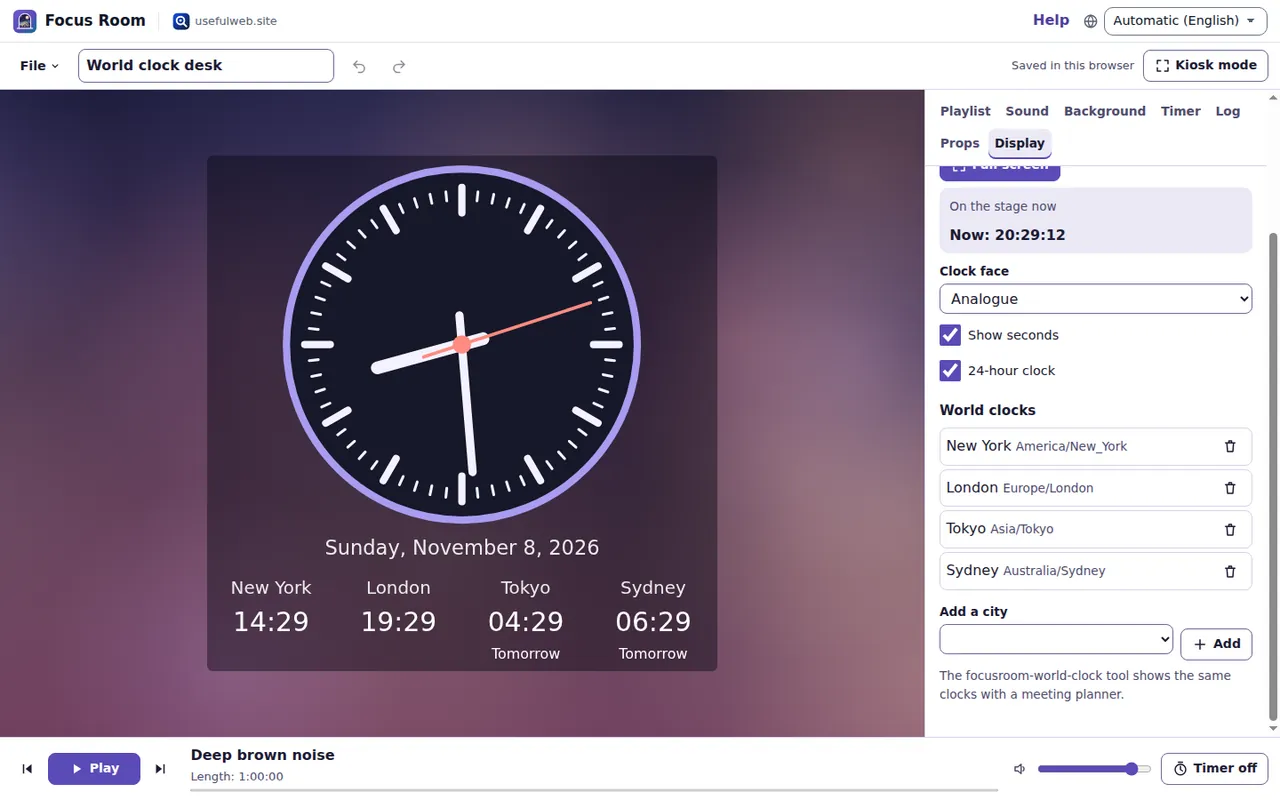
The focusroom-world-clock tool shows the same clocks for any moment and adds a meeting planner that finds the hours when everyone is at work.
Count down to a moment
Choose Countdown. Fill in:
- Title, for example "Launch" or "Summer holidays",
- Date and time — the wall-clock time in the event's time zone,
- Time zone — the place where the event happens.
The stage shows days, hours, minutes and seconds, the date of the event in its own zone and Working days left. Today counts as a working day, the event day does not.
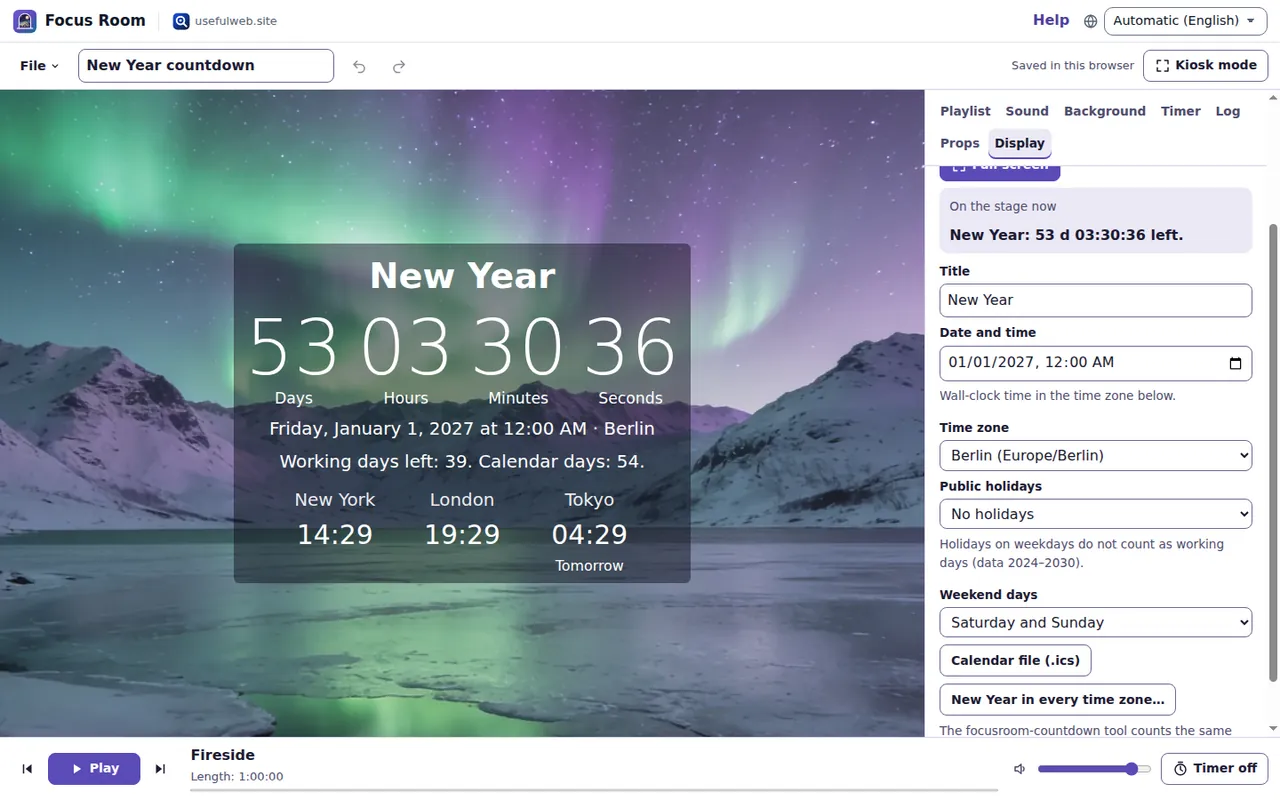
To skip public holidays, pick a country in Public holidays; the holidays are loaded for the period and the count updates. Add a Region code such as DE-BY or US-CA for regional holidays. Weekend days can be Saturday and Sunday, Friday and Saturday, Sunday only or none.
Calendar file (.ics) downloads the event for your calendar app. New Year in every time zone… opens a table of the moments when midnight arrives — from Kiritimati, 26 hours before the last place, to Baker Island — shown in your local time.
When the countdown reaches zero, Focus Room chimes once and says that the moment has come; after that the numbers count the time since.
Good to know
- Countdowns understand daylight saving time: a countdown across the spring change is an hour shorter in real time than the wall clock suggests.
- The template New Year countdown shows flip digits over the northern lights.
- Clocks follow your device's clock and time-zone data. If the device clock is wrong, so is the display.
Ready to try it?